EQ
AutoEQ
Cuts harsh ringing for you.
Press play. It finds the frequencies that ring and turns them down, only while they ring.
Free version included · 7-day full trial, no card needed
One-time payment. Licence key by email.
Mac · Windows · VST3, AU on Mac
Works with Ableton Live, Logic Pro, FL Studio, Bitwig, Studio One, Cubase, Reaper
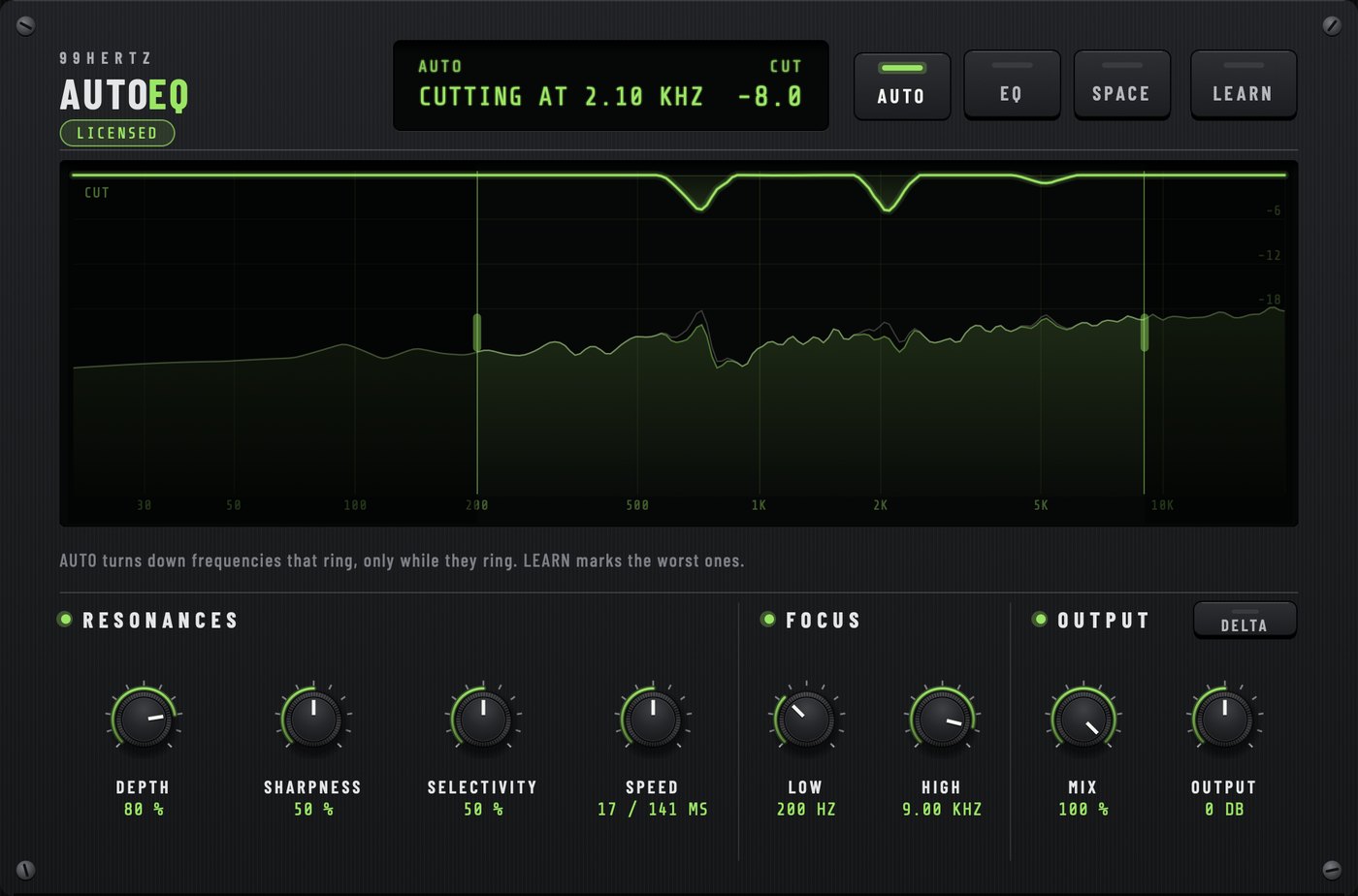
- Does it for youfinds what rings
- Use them togetherAUTO, EQ, SPACE
- SPACEroom for vocal or kick
- Free versionupgrade inside
Listen
Hear the difference.
Press play, then switch. It changes instantly, at the same spot in the loop.
Piano
From our 90s Piano House pack. Same loudness, so you hear the tone, not the volume.
Chords
From our Deep Minimal Tech House MIDI pack. Same loudness.
Features
See what it does.
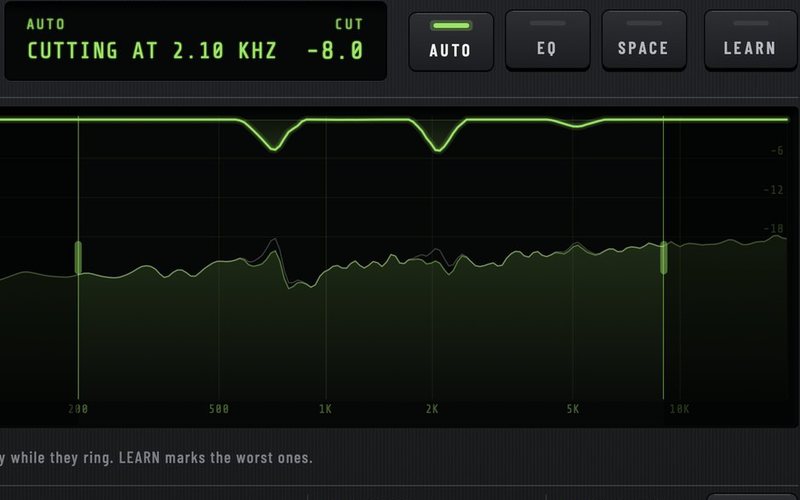
AUTO
Finds what rings and turns it down, only while it rings.
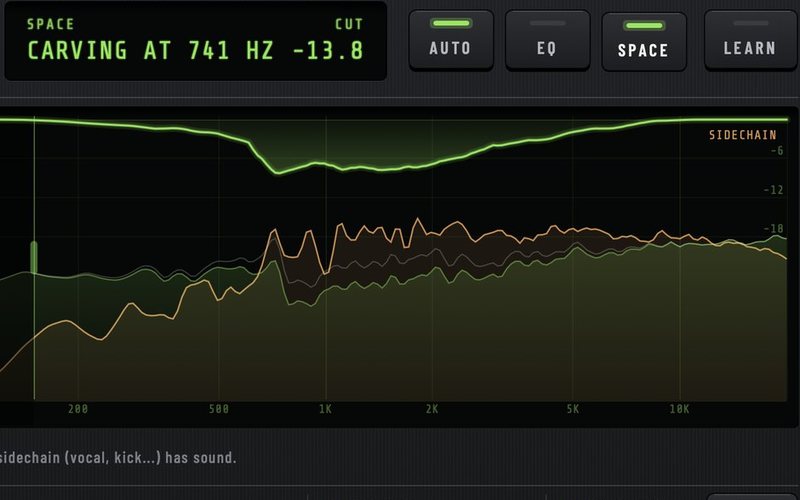
SPACE
Send your vocal or kick to the sidechain. It makes room for them, only while they play.
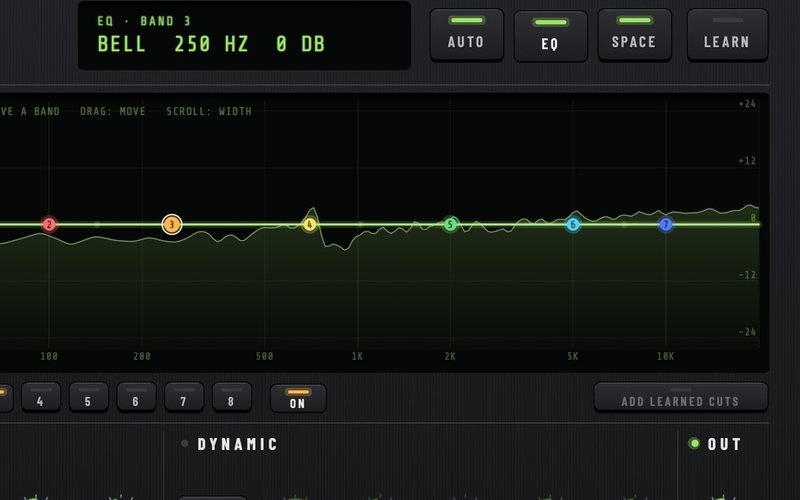
AUTO, EQ and SPACE together
Switch on one, two or all three. The light on each button shows what’s on.
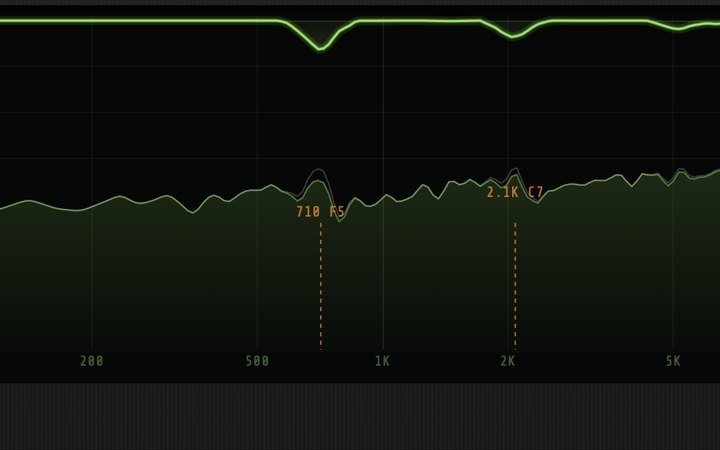
LEARN
Listens for 8 seconds and marks the worst frequencies.
Free vs full
Start free. Unlock the rest for £20.
| Feature | Free | Full£20 |
|---|---|---|
| AUTO: turns down ringing frequencies for you | Yes | Yes |
| DEPTH and MIX | Yes | Yes |
| LEARN: shows you the worst frequencies | Yes | Yes |
| SPACE: makes room for your vocal or kick (sidechain) | No | Yes |
| EQ: 8 bands, any of them can follow the sound | No | Yes |
| Use AUTO, EQ and SPACE together | No | Yes |
| Shape AUTO yourself: sharpness, speed, focus | No | Yes |
| DELTA: hear only what gets taken out | No | Yes |
| Download | Buy |
How it works
Three steps.
- Put AutoEQ on a sound that sounds harsh.
- Press play. It turns down what rings.
- Set DEPTH to taste. Want more? Switch on EQ or SPACE too.
Free download
Get AutoEQ free.
The download is the free version. Unlock everything with a key, or start a 7-day full trial inside the plugin.
You’re in. Download below.
Link also sent to your email.
Specs
Good to know.
| Computers | Mac: macOS 11 or later, Apple Silicon and Intel. Windows: 10 or later, 64-bit. Windows installer: available |
|---|---|
| Works in | Logic Pro, Ableton Live, FL Studio, Cubase, Studio One, Bitwig, Reaper, GarageBand and other DAWs that load VST3 or AU plugins. |
| Formats | Mac: VST3 and AU. Windows: VST3. |
| Licence | £20 once. Key by email, never expires. |
| Free version | Free forever. 7-day full trial inside. |
If anything doesn’t work on Windows, email info@99hertz.com and we’ll fix it or refund you.
Which computers and DAWs?
Mac (macOS 11 or later, Apple Silicon and Intel) and Windows 10 or later. It works in Logic Pro, Ableton Live, FL Studio, Cubase, Studio One, Bitwig, Reaper, GarageBand and other DAWs that load VST3 or AU plugins.
Does it work in Pro Tools?
Not yet. Pro Tools needs the AAX format, which we don’t make.
How is it different from a normal EQ?
A normal EQ cuts all the time. AutoEQ only cuts while a frequency rings, so the rest of the sound stays as it was.
How do I unlock it after buying?
Your licence key arrives by email. Open AutoEQ, click the button at the top (UPGRADE), paste the key and press Unlock. It doesn’t expire.
Is it a subscription?
No. You pay once and keep it.
Can I get a refund?
Try the free version and the 7-day full trial first, no card needed. After you buy, refunds follow our terms: a full refund within 14 days of purchase if you haven’t downloaded it yet. If it’s faulty or not as described, we’ll fix it, replace it or refund you.
Cuts harsh ringing for you.
AutoEQ. £20, one-time payment.