Clipper
AutoClip
Louder, and the kick still hits.
Shaves off the peaks so the whole track can come up. The kick still hits.
Free version included · 7-day full trial, no card needed
One-time payment. Licence key by email.
Mac · Windows · VST3, AU on Mac
Works with Ableton Live, Logic Pro, FL Studio, Bitwig, Studio One, Cubase, Reaper
- 4 clip soundsSoft to Tube
- Low protectsub stays clean
- True-peak ceilingnever over
- Free versionSoft + MATCH
Listen
Hear the difference.
Press play, then switch. It changes instantly, at the same spot in the loop.
Before / after
Amount turned up to +6 dB of hard clipping: the drums get louder and the peaks stay under the ceiling
Drums
Dry vs. AutoClip as it comes out: about 5 dB louder.
Full mix
Dry vs. AutoClip as it comes out: about 6 dB louder.
Features
See what it does.
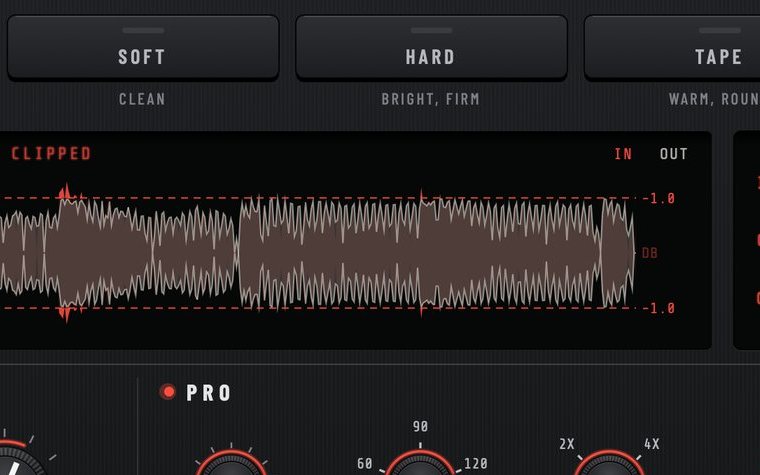
Four clip sounds
Soft is clean. Hard is bright, Tape is round, Tube adds grit.
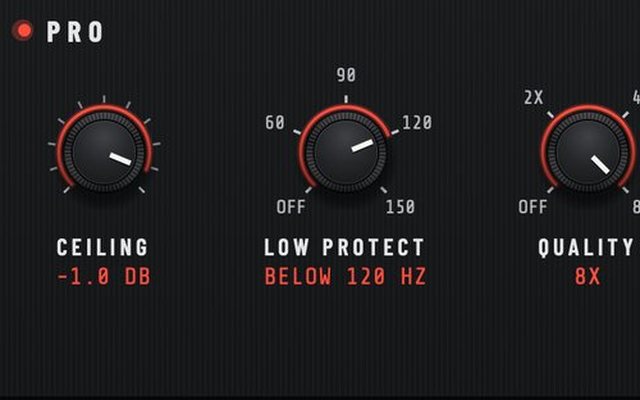
Low protect
Clips only above 60 to 150 Hz, so the sub stays solid.
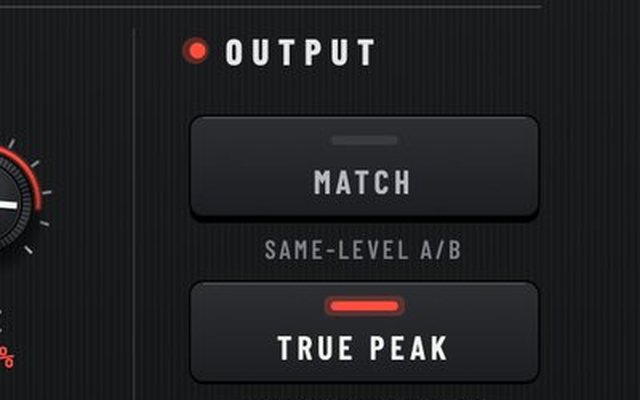
True-peak ceiling
Pick your ceiling and the output stays under it.
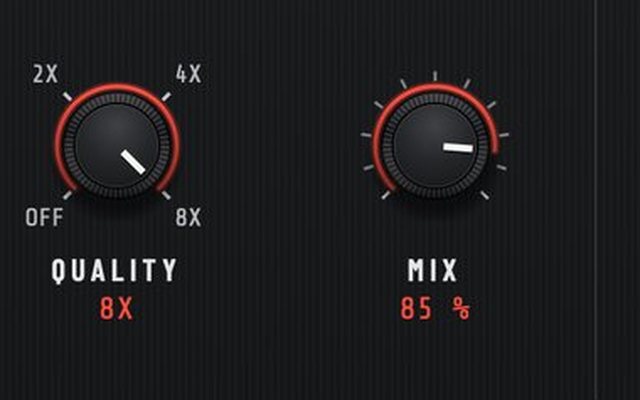
Parallel mix
Blend clipped and clean to keep some of the snap.
Free vs full
Start free. Unlock the rest for £20.
| Feature | Free | Full£20 |
|---|---|---|
| Soft clipping, oversampled 4x | Yes | Yes |
| One AMOUNT knob | Yes | Yes |
| Sets its own input level (LEARN) | Yes | Yes |
| MATCH: hear it at the same loudness | Yes | Yes |
| Safe ceiling at -0.3 dB | Yes | Yes |
| Three more sounds: Hard, Tape and Tube | No | Yes |
| Set your own ceiling, with true-peak safety | No | Yes |
| Low protect: clip the top, keep kick and bass clean | No | Yes |
| Up to 8x oversampling | No | Yes |
| Mix knob for parallel clipping | No | Yes |
| Download | Buy |
How it works
Three steps.
- Put AutoClip on your drums or master.
- Press play and turn AMOUNT up until it’s loud enough.
- Press MATCH to check it still sounds as good at the same level.
Free download
Get AutoClip free.
The download is the free version. Unlock everything with a key, or start a 7-day full trial inside the plugin.
You’re in. Download below.
Link also sent to your email.
Specs
Good to know.
| Computers | Mac: macOS 11 or later, Apple Silicon and Intel. Windows: 10 or later, 64-bit. Windows installer: available |
|---|---|
| Works in | Logic Pro, Ableton Live, FL Studio, Cubase, Studio One, Bitwig, Reaper, GarageBand and other DAWs that load VST3 or AU plugins. |
| Formats | Mac: VST3 and AU. Windows: VST3. |
| Licence | £20 once. Key by email, never expires. |
| Free version | Free forever. 7-day full trial inside. |
If anything doesn’t work on Windows, email info@99hertz.com and we’ll fix it or refund you.
Which computers and DAWs?
Mac (macOS 11 or later, Apple Silicon and Intel) and Windows 10 or later. It works in Logic Pro, Ableton Live, FL Studio, Cubase, Studio One, Bitwig, Reaper, GarageBand and other DAWs that load VST3 or AU plugins.
Does it work in Pro Tools?
Not yet. Pro Tools needs the AAX format, which we don’t make.
How do I unlock it after buying?
Your licence key arrives by email. Open AutoClip, click the button at the top (FREE or PRO TRIAL), paste the key and press Unlock. It doesn’t expire.
Is it a subscription?
No. You pay once and keep it.
Can I get a refund?
Try the free version and the 7-day full trial first, no card needed. After you buy, refunds follow our terms: a full refund within 14 days of purchase if you haven’t downloaded it yet. If it’s faulty or not as described, we’ll fix it, replace it or refund you.
Louder, and the kick still hits.
AutoClip. £20, one-time payment.